
In today’s digital era, businesses and individuals rely heavily on cloud computing services to store data, run applications, and enhance productivity. With numerous options available, selecting the best cloud computing service can be overwhelming. This guide will walk you through the essential factors to consider when choosing a cloud computing service that aligns with your needs.
Key Takeaways
- Understand your specific cloud computing requirements before selecting a provider.
- Compare leading cloud providers (AWS, Azure, Google Cloud) based on security, scalability, and cost.
- Prioritize security features like encryption, compliance, and multi-factor authentication.
- Evaluate pricing models to find a cost-effective solution.
- Ensure the provider offers strong customer support and disaster recovery solutions.
- Avoid vendor lock-in by considering open-source and multi-cloud strategies.
What Are Cloud Computing Services?
Cloud computing services refer to the delivery of computing resources over the internet. These services include servers, storage, databases, networking, software, and analytics. Cloud computing eliminates the need for physical hardware and provides scalability, flexibility, and cost savings.
Types of Cloud Computing Services
- Infrastructure as a Service (IaaS): Provides virtualized computing resources such as virtual machines, storage, and networking.
- Platform as a Service (PaaS): Offers a platform for developers to build, deploy, and manage applications without handling the underlying infrastructure.
- Software as a Service (SaaS): Delivers software applications over the internet, eliminating the need for local installation.
Why Do You Need Cloud Computing Services?
| Benefit | Description |
|---|---|
| Cost Efficiency | Reduces capital expenditure on physical hardware. |
| Scalability | Allows you to scale resources as per demand. |
| Security | Offers advanced security features like encryption and authentication. |
| Accessibility | Enables remote access to applications and data from anywhere. |
| Business Continuity | Ensures data backup and disaster recovery solutions. |
Cloud computing services offer several advantages:
- Cost Efficiency: Reduces capital expenditure on physical hardware.
- Scalability: Allows you to scale resources as per demand.
- Security: Offers advanced security features like encryption and authentication.
- Accessibility: Enables remote access to applications and data from anywhere.
- Business Continuity: Ensures data backup and disaster recovery solutions.
How to Choose the Best Cloud Computing Services for Your Needs?

1. Identify Your Requirements
Before selecting a cloud provider, determine your specific needs:
- Do you need storage, computing power, or a software solution?
- Will you require high-level security and compliance features?
- Are you looking for an easy-to-use platform with minimal technical management?
2. Evaluate Cloud Service Providers
Consider top providers such as Amazon Web Services (AWS), Microsoft Azure, Google Cloud Platform (GCP), and IBM Cloud. Compare their offerings in terms of:
- Pricing models
- Performance and reliability
- Customer support
3. Check Security and Compliance
Security is crucial when choosing a cloud service. Ensure that the provider offers:
- Data encryption (in transit and at rest)
- Multi-factor authentication
- Regular security audits
- Compliance with regulations like GDPR, HIPAA, and SOC 2
4. Assess Performance and Reliability
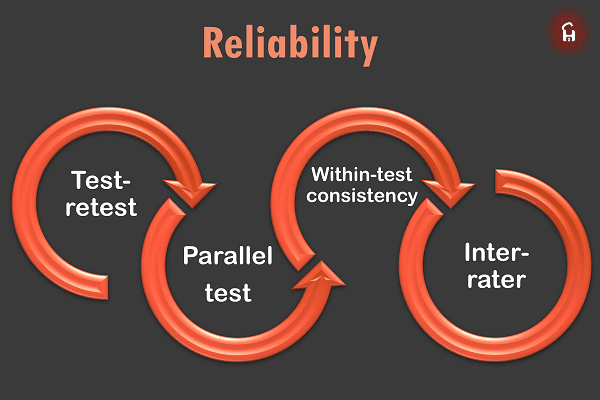
Performance and uptime directly affect business operations. Look for:
- Service Level Agreements (SLAs) guaranteeing uptime
- Global data center locations to reduce latency
- Speed and performance benchmarks
5. Analyze Scalability and Flexibility
Your business needs may grow over time, so select a provider that offers:
- Flexible pricing plans
- Easy scalability options
- Support for hybrid or multi-cloud setups
6. Compare Pricing and Cost Structure
Cloud services come with different pricing models:
- Pay-as-you-go: Pay only for the resources you use.
- Subscription-based: Fixed monthly or yearly fees.
- Reserved instances: Prepaid plans with discounts.
Choose a model that fits your budget and usage patterns.
7. Evaluate Customer Support and Service Level Agreements (SLAs)
Reliable customer support is essential for troubleshooting issues. Ensure the provider offers:
- 24/7 customer support
- Multiple support channels (phone, email, live chat)
- Comprehensive SLAs with guaranteed uptime
8. Consider Data Backup and Disaster Recovery
Your cloud provider should have robust data backup and disaster recovery solutions to prevent data loss due to failures or cyberattacks.
- Automated backups
- Geo-redundant storage
- Disaster recovery options
Also Read : What Are The Key Benefits And Challenges Of Hybrid Cloud?
Conclusion
Choosing the right cloud computing service requires careful evaluation of your needs, budget, and security concerns. By considering factors like provider reputation, pricing, security, and scalability, you can find the best cloud solution for your business or personal use. Conduct thorough research, test free trials, and read customer reviews before making a final decision.
FAQs
1. What is the best cloud computing service provider?
The best provider depends on your needs. AWS is great for scalability, Azure integrates well with Microsoft products, and Google Cloud is ideal for AI and analytics.
2. Is cloud computing secure?
Yes, reputable providers offer advanced security features like encryption, firewalls, and access controls to protect your data.
3. How much do cloud computing services cost?
Costs vary depending on usage, storage, and additional features. Providers offer pay-as-you-go, subscription, and reserved instance pricing models.
4. Can I migrate my existing applications to the cloud?
Yes, most providers offer migration tools and services to move your applications to the cloud seamlessly.
5. What happens if the cloud service provider experiences downtime?
Leading providers have SLAs ensuring high uptime, but it’s essential to check their disaster recovery solutions.
6. Should I choose a public, private, or hybrid cloud?
It depends on your security, cost, and control preferences. Public clouds are cost-effective, private clouds offer more security, and hybrid clouds provide a balance.
7. What is vendor lock-in, and how can I avoid it?
Vendor lock-in occurs when switching providers is difficult. Avoid this by choosing open-source platforms, multi-cloud strategies, and flexible migration tools.